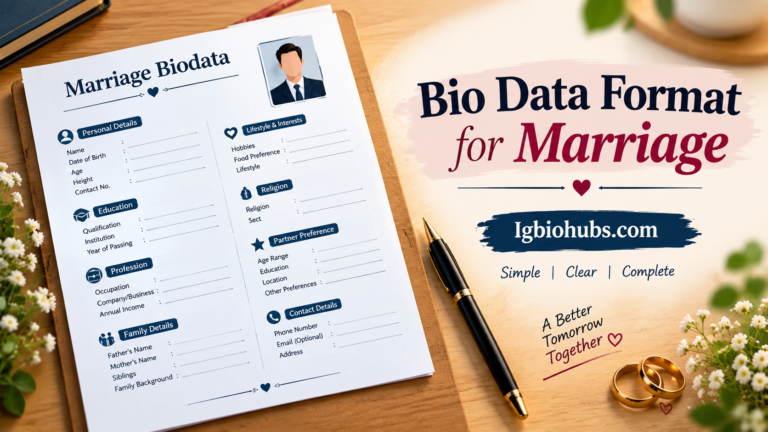

Bio Data Format for Job Best Professional Template for Job Seekers
Bio Data Format for Job is a simple and organized way to present your personal, educational, and professional information to an employer.
A good job bio data usually includes your full name, contact details, career objective, education, skills, work experience, achievements, and references.
Keep the format clean, easy to read, and professional.
Freshers can focus on their education, skills, internships, and career goals, while experienced candidates should highlight relevant work experience and achievements.
Use clear headings and avoid unnecessary information. Before submitting, check spelling, contact details, and formatting carefully.
A well-prepared bio data can create a strong first impression and help employers quickly understand your qualifications.
Table of Contents
Quick Table
| Section | What to Include |
|---|---|
| Full Name | Your complete name |
| Contact Details | Phone number and email |
| Career Objective | Short professional goal |
| Education | Degrees, courses, and institutions |
| Work Experience | Previous jobs and responsibilities |
| Skills | Relevant professional skills |
| Achievements | Awards, certificates, or accomplishments |
| Personal Details | Date of birth, nationality, etc. |
| References | Professional references, if required |
| Declaration | Statement confirming the information is correct |
The Day I Learned Bio Data and Resume Aren’t the Same
I still remember sitting in a cyber café in 2014, sweating over a Word document, trying to figure out why my uncle kept saying “beta, send your bio data” instead of “resume.”
I was 22, fresh out of college, applying for a government clerk position, and I genuinely thought bio data and resume were the same thing.
They’re not. And that confusion cost me a callback from a company that clearly asked for bio data in a specific format.
If you’re scratching your head right now wondering what the difference even is, or you’ve been asked to submit “bio data” for a job and you’re not sure where to start — you’re exactly who I’m writing this for.
Let me walk you through everything I learned, including the mistakes that taught me the hard way.

So What Exactly Is Bio Data Anyway?
Here’s the thing nobody explains properly. Bio data (short for biographical data) is an older, more traditional format that’s still heavily used in India, Pakistan, Bangladesh, and several Middle Eastern countries — especially for government jobs, PSU (public sector) positions, teaching jobs, and even matrimonial purposes (yes, really, the same format sometimes gets used for both).
Unlike a resume or CV, which focuses on your skills and achievements first, bio data leads with personal details.
We’re talking date of birth, gender, religion (in some cases), marital status, father’s/husband’s name, nationality, and even physical attributes like height in certain government or defense applications.
I know that sounds outdated, and honestly, it kind of is. But if an employer specifically asks for it, you can’t just send them a fancy Canva resume and expect it to land well.
My First Real Mistake
When I applied for that clerk position, I sent a resume that looked like something out of a LinkedIn tutorial — clean, modern, achievement-focused, zero personal details beyond my name and contact info.
Two weeks later, a family friend who worked in HR at a similar office told me flatly: “This isn’t what they wanted. They wanted bio data, not a resume.”
Turns out the recruiter had probably taken one look, seen it didn’t match the expected structure, and moved on. No callback, no explanation. Just silence.
That’s when I learned the golden rule: always match the format to what’s actually requested.
If the job posting says “send your bio data,” don’t get clever and send a resume instead.
The Actual Structure That Works
After that experience, I started researching (and later helping cousins and friends prepare their own bio data documents).
Here’s the structure that consistently works, especially for government, teaching, and traditional company applications:
1. Personal Details (Top of the Page)
This is the section that makes bio data different from everything else. Include:
- Full Name
- Father’s Name / Husband’s Name (common in South Asian formats)
- Date of Birth
- Gender
- Nationality
- Religion (only if specifically asked — many private companies skip this now)
- Marital Status
- Languages Known
I’ll be honest, the religion and marital status fields feel uncomfortable to include if you’re used to Western-style resumes.
But for certain government forms and traditional job applications, leaving them blank can actually get your application rejected outright for being “incomplete.”

2. Contact Information
Phone number, email, and permanent address. Some formats also ask for a “correspondence address” if it’s different from your permanent one.
3. Educational Qualifications
List this in a simple table format — that’s what most HR people expect:
| Qualification | Board/University | Year | Percentage/Grade |
|---|
Keep it chronological, starting from your highest qualification down to your 10th grade (matriculation), because a lot of bio data formats genuinely expect that level of detail.
4. Work Experience (If Any)
Company name, designation, duration, and a one or two-line description of your role. Keep it brief — this isn’t the place for bullet-pointed achievements like a resume.
5. Additional Details
Height, weight, blood group — I know, it sounds like a medical form, but certain government and defense-related jobs still ask for this.
6. Declaration
This part genuinely surprised me the first time. Most bio data formats end with a small declaration statement like:
“I hereby declare that the above information is true to the best of my knowledge.”
Followed by your signature, place, and date.
Tools I Actually Used to Make Mine
I’m not going to pretend I designed my bio data from scratch in Photoshop. Here’s what actually worked for me:
- Microsoft Word — Honestly still the easiest for bio data because of the table formatting for education and personal details.
- Google Docs — Great if you’re collaborating with a family member or mentor who’s reviewing it before you submit.
- Canva — Has decent “biodata” templates now if you search specifically for that term (not “resume”). Search “biodata format” not “CV format,” you’ll get completely different results.
- WPS Office — This one’s underrated. A lot of my friends in smaller towns use it because it’s lighter than MS Word and has built-in biodata templates for free.
A Mistake I See People Make Constantly
The biggest one? Copy-pasting a resume template and just renaming the file “biodata.doc.”
I’ve reviewed maybe a dozen bio data documents for friends and family over the years, and this is the single most common error.
People assume it’s just a naming difference. It’s not. The structure, the order of information, and the level of personal detail included are genuinely different.
Another mistake: forgetting the declaration statement. It sounds like a small, unnecessary formality, but for government and PSU applications, an application without it can literally get flagged as incomplete.
Third mistake, and this one’s sneaky: using casual photos. A lot of bio data formats (especially for government and teaching jobs) expect a formal passport-size photograph, not the LinkedIn-style headshot you’d use for a modern resume. Different context, different expectations.

Step-by-Step: Building Your Bio Data From Scratch
If you’re starting from zero, here’s exactly how I’d approach it now, knowing what I know:
Step 1: Open Word or Google Docs and set your page margins to standard (1 inch all around). Bio data documents are typically simple, no fancy design elements.
Step 2: Add your passport-size photo in the top right corner. This is standard practice and expected in most traditional formats.
Step 3: Create a table for personal details — two columns, label on the left, information on the right.
Step 4: Add a second table below for education, formatted the way I mentioned earlier.
Step 5: Include work experience only if relevant — don’t pad it with irrelevant part-time jobs unless the position specifically values that kind of experience.
Step 6: Add the declaration statement at the bottom, along with space for your signature.
Step 7: Save it as both a Word doc and a PDF. Some application portals only accept PDFs, others specifically ask for editable Word files, so having both ready saves you a scramble later.
When You Should NOT Use Bio Data Format
This is important. If you’re applying to:
- A private multinational company
- A tech or startup role
- Any international job outside South Asia or the Middle East
…you almost certainly want a resume or CV instead, not bio data.
I’ve seen people submit bio data to corporate roles at companies like TCS or Infosys during general hiring drives (not government-linked ones), and it just looks mismatched to what the recruiter expects.
Generally, if the job posting or the recruiter explicitly uses the word “biodata,” go with this format. If it says “resume” or “CV,” stick to that instead.
When in doubt, a quick email asking “Could you clarify if you need a resume or a biodata format?” makes you look thoughtful, not clueless.

FAQ’s
What is a bio data format for a job?
A bio data format for a job is a structured document that presents your personal details, education, skills, work experience, and other professional information to an employer.
What should be included in job bio data?
It should generally include your name, contact information, career objective, education, skills, work experience, achievements, and references when required.
Is bio data different from a resume?
Yes. Bio data usually contains more personal information, while a resume mainly focuses on professional qualifications, skills, and relevant work experience.
Can freshers create job bio data?
Yes. Freshers can highlight their education, skills, certifications, internships, projects, achievements, and career objectives.
Should job bio data be one page?
For freshers, one page is often enough. Experienced candidates can use additional pages when they have relevant work history and qualifications.
Conclusion
A well-organized bio data format for job applications can make it easier for employers to understand your qualifications and professional background.
Whether you are a fresher applying for your first position or an experienced professional looking for a better opportunity, your bio data should present important information clearly and honestly.
Start with your name and contact details, followed by a focused career objective, education, skills, work experience, achievements, and other relevant information.
Avoid adding unnecessary personal details that do not support your application.
Before sending your bio data, carefully check your spelling, phone number, email address, dates, and job-related information.
Use consistent headings, readable fonts, and simple formatting so recruiters can quickly find the details they need.
You can also customize your bio data for different jobs by highlighting the skills and experience most relevant to each position.
A professional and accurate format will not guarantee a job, but it can help you make a stronger first impression and present yourself as a prepared and serious candidate.